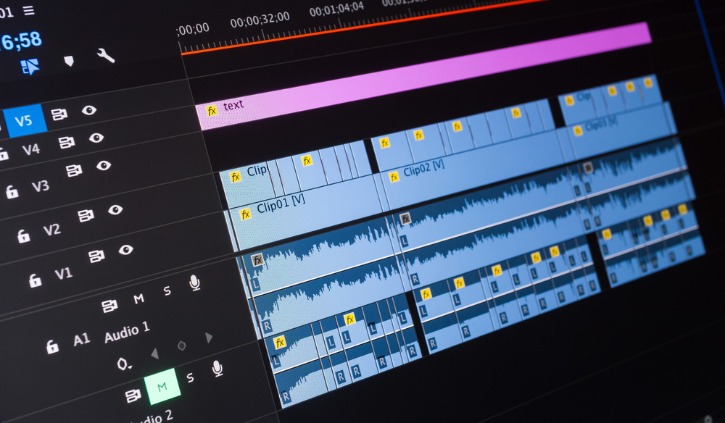
For a long time, meaningful audio editing meant installing a heavyweight digital audio workstation, managing plugin folders, and waiting through slow updates. That reality is fading quickly. Today, the same browser you use for email, documents, and spreadsheets can convert, compress, trim, and analyze audio with surprising precision. The growing popularity of browser-based audio processing tools has turned quick audio tasks into a simple matter of opening a tab, dragging in a file, and downloading the result. Whether you are a podcaster, a marketer, a developer, or someone who just needs to send a cleaner voice memo, these tools remove nearly all friction from the process. Understanding what they can do, how they work, and where they fit into real workflows is the key to getting the most out of them.
Why Browser-Based Audio Processing Is Replacing Traditional Software for Quick Tasks
Traditional audio editors still have their place, but they are often overkill for the small tasks that make up daily creative and professional workflows. The shift toward browser-based audio processing tools is driven by a simple principle: access without installation. A user on a locked-down work laptop, a student on a shared computer, or a creator traveling with a Chromebook can all perform the same core operations without downloading software, dealing with license keys, or worrying about operating system restrictions.
This accessibility is made possible by advances in web technologies. Modern browsers support powerful audio APIs and run compiled code at near-native speed through WebAssembly. That means converting a WAV file to MP3 or measuring loudness in LUFS no longer requires a roundtrip to a remote server. Instead, the processing can happen locally on the user’s device. For teams dealing with sensitive audio—unreleased interviews, internal training recordings, or client voiceovers—this local-first approach is a major privacy advantage. Files never need to leave the machine, which reduces exposure to data breaches and makes the tools safer for confidential work.
Another factor is the collapse of what many creators call the “setup tax.” Installing a full desktop editor can consume several gigabytes, require account creation, and interrupt your day with update prompts. By contrast, a browser tab uses no permanent storage and is ready in seconds. For someone who only needs to trim a recording, convert a format, or reduce file size, launching a full digital audio workstation feels like using a sledgehammer to crack a walnut. Browser tools fill the gap between “no tool at all” and “professional studio suite.”
The result is a more fluid workflow. You can receive an audio attachment in an email, process it in a tab, and send it back without ever leaving the browser environment. Because the interface is web-based, updates are instant and consistent across devices. The same tool works on Windows, macOS, Linux, or ChromeOS, which is especially valuable for remote teams that use a mix of hardware. This cross-platform consistency removes the classic “works on my machine” problem that slows down collaboration when files pass between different operating systems.
Core Audio Tasks You Can Run Directly in a Browser Tab
Not all browser audio tools are created equal, but the best ones focus on a set of high-demand tasks: format conversion, compression, trimming, loudness analysis, and normalization. Each solves a specific friction point in audio production without forcing users onto a complex timeline editor.
Format conversion is perhaps the most common need. You might have a voice memo in M4A that a web form only accepts as MP3, or a high-quality WAV that you need to convert to OGG for a web project. A browser audio converter lets you drag in the file, choose the target format, adjust the bitrate or sample rate, and download the result within seconds. This is especially useful for podcasters who record in WAV but publish in MP3, or for developers preparing audio assets for different browser compatibility requirements. The convenience of converting without opening a separate application means small format issues no longer interrupt the flow of a project.
Compression overlaps with conversion but focuses on reducing file size. If an MP3 is too large for an email attachment or a social media upload, a browser tool can lower the bitrate while keeping the sound acceptable. Many tools also show a before-and-after file size, helping users make informed decisions about the trade-off between quality and portability. For example, reducing a 320 kbps file to 128 kbps can shrink it by more than half while remaining perfectly suitable for spoken-word content.
Then there is loudness analysis, often measured in LUFS (Loudness Units relative to Full Scale). Podcasters and video creators need to hit specific loudness targets for platforms like Spotify, YouTube, and Apple Podcasts. A browser-based LUFS analyzer can measure integrated loudness, true peak, and dynamic range without opening a mastering suite. If the file is too quiet or too loud, normalization tools can adjust the gain to bring it closer to a standard target, such as -16 LUFS for stereo podcasts or -14 LUFS for many streaming services. This is a huge time-saver for creators who previously had to guess or rely on playback meters that were not standardized.
Trimming is another everyday task. Cutting silence from the beginning or end of a recording, removing a mistake, or extracting a short audio clip for a presentation can be done with a simple visual waveform and two trim handles. Unlike full editors, these browser tools do not burden the user with dozens of tracks, effects chains, or routing options. The goal is not to replace a production studio but to handle the quick, repetitive tasks that would otherwise slow down a project. Together, these features cover a surprising share of real-world audio needs and turn the browser into a practical audio utility belt.
Practical Workflows: Who Benefits Most from Instant Audio Processing
The audience for browser-based audio utilities is broad, but the value becomes clearest in specific workflows. Consider a podcast producer who records a remote interview on a Friday afternoon. The raw file is a 90-minute WAV that is far too large to upload to a hosting platform. Rather than opening a heavy editor, the producer uses a web tool to convert the file to mono MP3 at 128 kbps, checks the loudness in LUFS, and normalizes the volume to match the show’s standard. The entire process takes less than five minutes, which means the episode can be published before the weekend instead of waiting for a lengthy desktop export.
A social media manager faces a different problem. A client sends a high-quality music track for an Instagram Reel, but the file exceeds the platform’s size limit. With a browser compressor, the manager reduces the bitrate and exports a smaller file, then uses a trim tool to cut it to the exact 15-second segment needed. No creative software license is required, and the work can even be done from a phone browser while commuting. This kind of speed is a competitive advantage in social content production, where trends move fast and waiting for a desktop setup can mean missing the moment.
Developers and web creators also benefit when preparing audio assets. A developer building a language-learning web app might need short pronunciation clips in OGG and MP3 for cross-browser support. Running each file through a browser converter allows quick batch processing without installing FFmpeg or writing a script. Similarly, someone managing a website’s podcast feed can use a LUFS analyzer to verify that all episodes meet recommended loudness levels before publishing. This fits naturally into a developer workflow that already uses browser-based utilities for JSON formatting, image compression, password generation, or cron expression testing.
Educators, customer support teams, and internal trainers often work on devices with restricted permissions. A corporate laptop may block software installations but allow browser access. In these environments, a browser audio tool can trim a training recording, compress a voice note for a ticket response, or convert a file for a learning management system. The fact that processing happens locally removes the compliance concern of sending internal audio to an unknown cloud server. Some platforms, including Mekh Tools, bundle an audio converter and LUFS analyzer with other everyday utilities, making it easier for teams to keep all their lightweight processing tasks in one familiar browser environment.
Of course, browser tools are not a full replacement for a digital audio workstation. Multitrack mixing, advanced noise reduction, pitch correction, and real-time effects still demand specialized software. Large files may also hit memory limits depending on the browser and device. But for the fast, single-file tasks that dominate daily production, the convenience is hard to beat. The goal is not to replace the studio; it is to remove the barriers to quick, everyday audio work so that creators can spend more time on the content itself and less time waiting for software to load.